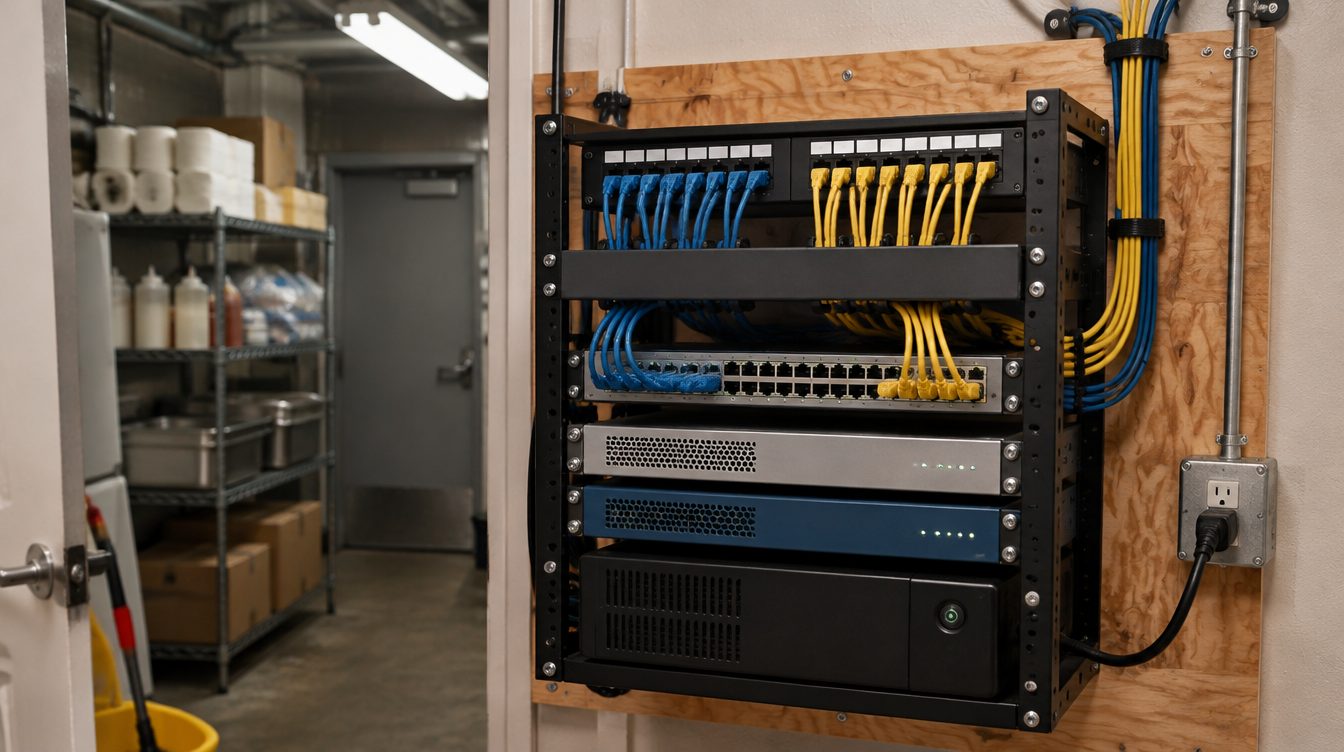
Once a Los Angeles restaurant is open, the network built for it keeps working every shift: registers, ticket printers, kitchen screens, delivery tablets, cameras and the office computer all lean on the same rack. Managed IT from ClearMax Labs looks after that equipment month to month, with network monitoring, cybersecurity and backups, so a problem is usually spotted before a server notices it.
Last updated: November 2026
What a monthly plan covers
- Network monitoring: the firewall, switch, access points and internet line are watched around the clock, and an alert goes out when a device drops or the line degrades.
- Cybersecurity: firewall rules reviewed, firmware kept current on network gear, and the office computer protected with endpoint security and updates.
- Payment network separation: the lane built for the registers stays apart from guest WiFi and the office as devices are added.
- Backups: the office computer's files and the network configuration are backed up, so a failed device can be replaced and restored.
- Camera and recorder health: recorder storage and camera status are checked, so a dead camera is found before the footage is needed.
- Remote support: a manager can call or write in when something stops working, and most fixes happen without a visit.
- Change requests: a new menu board, another register or a moved printer is planned and added to the drawings.
Why restaurant networks need watching
A dining room is hard on equipment. The rack sits near heat and grease, staff plug in chargers wherever they find a port, and guest phones crowd the airwaves on a busy night. Delivery tablets arrive one at a time from different apps, each wanting a connection. A network that tested clean on opening day drifts within months unless someone keeps an eye on it.
The habits that matter are plain ones. Admin passwords are changed from their defaults and stored in the restaurant's name. Old staff logins are removed when people leave. Firmware is updated during closed hours, never mid-service.
Each month the owner gets a short note: what alerts fired, what was patched, what was changed and anything worth planning for, such as an access point near the end of its updates or a recorder drive filling faster than expected. The note is plain language, written for someone running a kitchen, not a server room.
Who handles what
The POS company supports its own terminals and software. The internet provider owns the line up to its modem. ClearMax covers everything between them: the firewall, the switch, the access points, the cabling, the cameras and the office computer. When an issue sits on the POS side or the provider's side, ClearMax opens the ticket with them and stays on it until it closes, so the manager is not juggling three phone trees during a lunch rush.
When something breaks mid-service
The first step is to keep service moving. A printer that stops gets its traffic checked on the switch, a handheld that drops gets moved to a working access point, and a failed internet line fails over to a backup connection where one was set up. The root cause is chased after the rush, and the fix goes into the record.
Getting a restaurant onto monitoring
Restaurants built by ClearMax start with the drawings and logins already on file. For a restaurant built by someone else, the plan starts by documenting what is there and testing the cabling that matters, and anything that needs fixing is listed before monitoring begins. Every quote comes from the restaurant's own details, and any change in scope is raised and the bid updated before work goes ahead.
See the buildout overview for the install side, or the cabling page for how the runs are built.